Companies are increasingly relying on data to make smarter decisions. This is especially true in human resources, where workforce analytics is transforming how organizations manage their employees. Instead of relying on intuition, businesses now use data-driven insights to improve productivity, reduce costs, and enhance employee performance.
Workforce analytics refers to the process of analyzing employee data to make better workforce-related decisions. From hiring the right talent to improving retention rates, it plays a critical role in modern organizations. In this complete guide, you’ll learn what workforce analytics is, why it matters, its types, key metrics, tools, challenges, and future trends.
What is Workforce Analytics
Workforce analytics is the systematic process of collecting, analyzing, and interpreting employee data to improve organizational performance.
Evolution from Traditional HR
Traditional HR focused on administrative tasks like payroll and attendance. Workforce analytics, however, uses data to generate insights and support strategic decision-making.
Role in Modern Organizations


Today, workforce analytics helps companies:
- Identify performance gaps
- Improve employee engagement
- Optimize workforce planning
Data vs Insights
- Data = Raw numbers (e.g., employee attendance)
- Insights = Meaningful conclusions (e.g., absenteeism trends affecting productivity)
Why Workforce Analytics Matters
Workforce analytics is essential for organizations aiming to stay competitive.
Business Impact
- Reduces operational costs
- Improves workforce productivity
Better Decision-Making
HR teams can make informed decisions instead of guessing.
Employee Performance Tracking
Helps identify top performers and underperformers.
Competitive Advantage
Companies using workforce analytics outperform those relying on traditional methods.
Types of Workforce Analytics
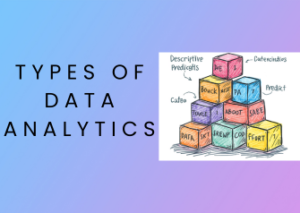
There are four main types of workforce analytics:
1. Descriptive Analytics
Analyzes historical data to understand what happened.
2. Diagnostic Analytics
Identifies the reasons behind outcomes.
3. Predictive Analytics
Forecasts future trends using historical data.
4. Prescriptive Analytics
Recommends actions to improve outcomes.
Key Metrics in Workforce Analytics
Tracking the right metrics is crucial for success.
Employee Turnover Rate
Formula:
(Number of employees leaving ÷ Total employees) × 100
Absenteeism Rate
Formula:
(Total absent days ÷ Total working days) × 100
Employee Productivity
Measures output per employee over a specific period
Time-to-Hire
Tracks how long it takes to fill a position
Cost-per-Hire
Calculates total hiring expenses per employee
Workforce Analytics vs HR Analytics vs People Analytics
| Aspect | Workforce Analytics | HR Analytics | People Analytics |
|---|---|---|---|
| Focus | Workforce performance | HR processes | Employee behavior |
| Scope | Broad | Operational | Strategic |
| Goal | Improve productivity | Optimize HR functions | Enhance employee experience |
When to Use
- Use workforce analytics for performance improvement
- Use HR analytics for process optimization
- Use people analytics for strategic decisions
Use Cases Across Industries
IT & Tech
- Talent optimization
- Performance tracking
Healthcare
- Staff scheduling
- Patient care improvement
Retail
- Demand forecasting
- Workforce planning
Finance
- Risk management
- Compliance monitoring
Tools Used in Workforce Analytics
Here are some popular tools:
Power BI
- Strong data visualization
- Affordable for beginners
Tableau
- Advanced dashboards
- Best for large datasets
SAP SuccessFactors
- Enterprise HR solution
- Ideal for large organizations
Workday
- Workforce planning + analytics
- Cloud-based platform
Visier
- Specialized people analytics tool
- Great for HR insights
Challenges and Limitations
Despite its advantages, workforce analytics has some challenges:
- Data Quality Issues – Inaccurate data leads to poor insights
- Privacy Concerns – Handling employee data responsibly
- Skill Gaps – Lack of analytics expertise in HR teams
- Integration Problems – Difficulty combining multiple systems
- High Costs – Tools and implementation can be expensive
How to Implement Workforce Analytics
Follow this step-by-step process:
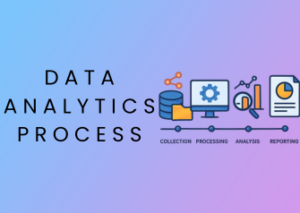
1. Define Goals
Set clear objectives (e.g., reduce employee turnover)
2. Collect Data
Gather data from HR systems, surveys, and performance tools
3. Choose Tools
Select tools like Power BI or Tableau
4. Analyze Data
Identify patterns and trends
5. Take Action
Use insights to improve HR strategies
Future Trends in Workforce Analytics
The future of workforce analytics is evolving rapidly:
- AI & Machine Learning for predictive insights
- Real-Time Dashboards for instant decision-making
- Remote Workforce Tracking tools
- Predictive Hiring Trends to find the best talent
Conclusion
Workforce analytics is a powerful tool that helps organizations make smarter, data-driven decisions. From improving employee performance to reducing costs, it offers significant business value.
As technology continues to evolve, companies that adopt workforce analytics early will gain a strong competitive advantage.
FAQs:
1. What is workforce analytics?
Workforce analytics is the process of collecting, analyzing, and interpreting employee data to improve productivity, performance, and overall business outcomes. It helps organizations make data-driven decisions related to hiring, employee engagement, and workforce planning.
2. Why is workforce analytics important?
Workforce analytics is important because it enables companies to make smarter HR decisions using data. It helps reduce employee turnover, improve productivity, optimize hiring strategies, and enhance overall business performance.
3. What are the types of workforce analytics?
The four main types of workforce analytics are descriptive, diagnostic, predictive, and prescriptive analytics. These types help organizations understand past performance, identify causes of issues, predict future trends, and recommend effective actions.
4. What are key workforce analytics metrics?
Key workforce analytics metrics include employee turnover rate, absenteeism rate, employee productivity, time-to-hire, and cost-per-hire. These metrics help measure workforce performance and identify areas for improvement.
5. What tools are used in workforce analytics?
Common workforce analytics tools include Power BI, Tableau, SAP SuccessFactors, Workday, and Visier. These tools help organizations collect, analyze, and visualize employee data effectively.
6. What is the difference between workforce analytics and HR analytics?
Workforce analytics focuses on improving employee performance and productivity, while HR analytics focuses on optimizing HR processes such as recruitment and payroll. Workforce analytics has a broader business impact compared to HR analytics.
7. How to implement workforce analytics?
To implement workforce analytics, start by defining business goals, collecting employee data, choosing the right tools, analyzing data for insights, and taking data-driven actions. A step-by-step approach ensures successful implementation.
8. What are the challenges of workforce analytics?
Common challenges of workforce analytics include poor data quality, privacy concerns, lack of skilled professionals, integration issues, and high implementation costs. Addressing these challenges is essential for success.
9. What is the future of workforce analytics?
The future of workforce analytics includes AI-powered insights, real-time dashboards, remote workforce tracking, and predictive analytics. These advancements will make workforce analytics more accurate and valuable for businesses.