
Creating charts shouldn’t require complicated software or signups. Whether you’re a student preparing a report, a marketer visualizing campaign data, or an analyst crunching numbers, quick visualizations are key. That’s why free chart makers online with no signup are so useful – they’re instant graph generators that let you build pie charts, bar graphs, histograms, scatter plots and more in minutes without fuss. In this article, we’ll cover the Best Free Chart Makers Online (No Signup), explain different chart types, compare these tools side-by-side, and help you choose the right one for your needs. (If you’re new to data visualization, check our guide on What is Data Analytics for more context.)
What Are Free Online Chart Makers (No Signup)?
A free online chart maker is a web-based tool that lets you input data and instantly generate charts and graphs in your browser. The best ones don’t require you to create an account or log in – you just visit the site, paste in your numbers, choose a chart type, and download the result. No-signup tools save time, respect privacy, and offer instant access from any device.
Benefits of no-signup chart tools:
- Save Time: No waiting to confirm email or set up a password – start visualizing data immediately.
- Privacy-Friendly: No account means your data isn’t stored on their server.
- Any Device: Access charts online from laptop, tablet or phone.
These tools are great for academic projects, business reports, blog posts, or any quick data visualization need. For example, students and teachers can whip up a pie chart of survey results in seconds, while small business owners can use a bar chart generator to compare sales data. They’re often featured in guides on free online tools and productivity apps, like our Best Data Analytics Tools list.
Benefits of Using the Best Free Chart Makers Online (No Signup)
- No Account Required: You can create graphs immediately without signup or login. This is perfect when you need a chart fast.
- Fast & User-Friendly: Most have simple interfaces – copy-paste your data, select a chart, customize colors/text, and you’re done.
- Accessible Anywhere: Since they run in a browser, you can use them on any computer or device.
- Export/Download Options: Many let you download charts as high-quality images (PNG, JPG) or vector files (SVG). Some even give HTML embed codes.
- Ideal for Beginners: You don’t need to learn Excel, R, or Python – just use intuitive online graph makers to visualize data.
These advantages make online chart makers popular tools among educators, analysts, and content creators. They’re essentially free chart generators that handle the heavy lifting of drawing graphs.
Best Free Chart Makers Online (No Signup) – Top Tools
Below are our top picks for free chart makers online with no signup. Each tool lets you create multiple chart types without an account. We include a brief overview, standout features, and who it’s best for.
1. QuickChart (No-Code Chart Maker)
QuickChart (quickchart.io) is a developer-friendly chart maker built on the open-source Chart.js library. It offers a no-code chart editor that’s free and requires no login. You simply choose a chart type and enter data or edit a template. It supports many chart types (bar, line, pie, radar, etc.) and even advanced features like chart annotations.
- Key Features: JSON-based chart API, template editor, interactive preview.
- Best For: Developers or power users who want full control over chart configuration.
QuickChart’s site is straightforward: you can copy-paste data or use example charts, then download the image. Since it’s API-driven, you can also embed charts in code or dashboards by URL. Even without coding, the no-code editor lets anyone make customizable charts on the fly.
2. ChartGo
ChartGo (chartgo.com) is a classic online graph maker that’s been free for over a decade. It emphasizes ease-of-use: no sign-up, no pricing page – just a completely free chart creator. ChartGo offers a variety of graph types (Bar, Line, Combo, Pie, Area, etc.), plus ready-to-use templates.
- Key Features: Simple UI, data import (Excel/CSV), quick customization.
- No Sign-Up: ChartGo is “actually free” with no login ever required.
- Exports: Download charts as high-quality images, SVG files, or CSV (for data).
ChartGo is great for beginners: just paste your data, tweak colors and labels, and hit “Create”. Each chart type has options to adjust appearance. After creation, you can share or download the chart. Since it’s been used by professionals and educators worldwide, it’s a reliable choice for quick charts.
3. Meta-Chart
Meta-Chart (meta-chart.com) is a straightforward free online graphing tool. It explicitly advertises that you can design and share your own charts online and for free. The site has specific pages to create each chart type (pie, bar, histogram, scatter, etc.) without needing an account.
- Key Features: Dedicated editors for pie charts, bar charts, histograms, scatter plots, and more.
- Customization: You can change colors, fonts, labels, and then download the chart or share it via link.
- No Sign-Up Needed: You can create and download a chart as an image (PNG) with no registration.
Meta-Chart’s interface is basic but effective. For example, to make a pie chart you select “Pie Chart”, input your categories and values, choose colors, and click “Create”. The generated chart can then be downloaded. It’s ideal for quick, simple charts when you want to avoid unnecessary clutter.
4. LiveGap Charts
LiveGap Charts (charts.livegap.com) is a powerful online chart maker with live preview. It’s completely free and does not require any registration or download. LiveGap supports a wide range of chart types – line, bar, pie, area, radar, and even unique ones like icon matrix charts.
- Key Features: Real-time chart preview as you edit data and styles. Tons of customization (fonts, colors, legends, etc.).
- Templates: Over 50 chart templates available to jumpstart your design.
- No Sign-Up: Start creating charts immediately – just click “Make your Chart”.
LiveGap’s appeal is the live preview: as you enter or change data, the chart updates instantly. You can adjust anything from axis labels to gradients. When done, you can save your chart as an image or HTML file. (If you want to save online or share, you can create an account, but it’s optional.) With a user base of over 1.7 million and counting, LiveGap is a trusted choice for educators and anyone needing an interactive chart builder.
5. Datawrapper (Free/Tiered, Try Without Signup)
Datawrapper (datawrapper.de) is a popular tool known for professional-quality charts, maps, and tables. It’s widely used by journalists and businesses. Importantly, Datawrapper allows you to try it out and create charts without an account.
- Key Features: 21+ chart types (line, bar, scatter, map, etc.), modern design, easy customization.
- Try Without Login: You can click “Start creating” and build a chart “no account needed”.
- Exports: Even with the free tier, you can export charts as PNG or PDF (with Datawrapper watermark on free version).
Datawrapper’s interface guides you through steps: upload data, choose a chart type, customize design (colors, tooltips), and publish. The free version has some limitations (e.g. no custom branding), but it’s very powerful. If you need high-quality visuals and don’t mind occasional sign-up prompts, Datawrapper is excellent to try alongside simpler tools.
Types of Charts You Can Create Online
Online chart makers typically support the four most common chart types. Here’s a quick overview of each, including when and why to use them:
Pie Chart


A pie chart is a circular graph divided into slices, where each slice’s size is proportional to the value it represents. It’s used to show how a whole breaks down into parts. For example, if you surveyed favorite fruit among 100 people, a pie chart could show the percentage who prefer apples vs. bananas vs. cherries. Pie charts are best when you have a few categories and want to illustrate each category’s share of 100%. Example use case: Visualizing market share of different smartphone brands (each slice = % of users).
Bar Chart


A bar chart (or bar graph) uses rectangular bars to represent data. Each bar’s length or height corresponds to its value. Bar charts are ideal for comparing values across different categories. For instance, you might use a bar chart to compare quarterly revenue of different products. One axis lists categories (e.g. product names) and the other axis shows numeric values. Bar charts can be vertical or horizontal. Example use case: Comparing website traffic sources (organic search, referrals, social media, etc.).
Histogram

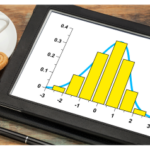
A histogram looks similar to a bar chart, but it’s used for continuous data. It groups numerical data into ranges (bins) and shows how many data points fall into each range. For example, if you measure the test scores of 500 students, a histogram can show how many scored 0–9, 10–19, 20–29, etc. The bars touch each other to indicate the data is continuous. Histograms reveal data distribution – you can see if values cluster, are symmetric, or skewed. Example use case: Showing the distribution of ages in a population survey.
Scatter Plot

A scatter plot displays values for two variables as points on an X-Y axis. Each dot represents one data item with two measured values. Scatter plots are perfect for showing relationships or correlations between variables. For instance, you could plot hours studied vs. exam score for students; if the points trend upward, that suggests more study leads to higher scores. Scatter plots often reveal trends (positive, negative, or none) and outliers. Example use case: Analyzing the relationship between advertising spend and sales revenue.
Comparison of Best Free Chart Makers Online
| Tool | Chart Types | Export Options | Ease of Use | Limitations |
|---|---|---|---|---|
| QuickChart | All Chart.js types (bar, line, pie, radar, etc.) | PNG/JPEG via URL | Moderate (API-based) | Geared toward developers; requires some chart setup |
| ChartGo | Bar, Line, Combo, Pie, Area, etc. | High-quality PNG, SVG, CSV | Very easy | No major limits (fully free) |
| Meta-Chart | Pie, Bar, Histogram, Scatter, Line, Area, etc. | Download as PNG or share link | Easy | Basic design options; fewer advanced features |
| LiveGap | Line, Bar, Area, Pie, Radar, Icon matrix, etc. | Save as PNG or HTML | Easy (live preview) | No login needed; optional account for online save |
| Datawrapper | Line, Bar, Scatter, Pie, Maps, etc. | PNG, PDF (free tier) | Easy (step-by-step) | Free tier adds watermark; best features require sign-up |
This table highlights that ChartGo and LiveGap offer the simplest all-free experience (truly no signup). Datawrapper is more advanced but its full power is unlocked with an account (though you can try without one). QuickChart is unique as an open-source chart API, ideal for customization via code.
How to Choose the Best Free Chart Maker (No Signup)
When picking a free chart maker, consider these factors:
- Chart Type Needed: Check that the tool supports the chart you want (pie, bar, histogram, scatter, etc.). (For example, not all tools have scatter plots built-in.)
- Ease of Use: If you need quick results, favor simple interfaces like ChartGo or LiveGap. They have user-friendly forms and live previews.
- Export Quality: Look at output options – some tools let you download vector graphics (SVG) or high-res images. (ChartGo supports SVG export, which is great for sharp prints.)
- Customization: Do you need advanced styling (fonts, annotations, colors)? LiveGap and Datawrapper offer more polish, while simpler tools have basic styling.
- Device Access: All listed tools work in a web browser. If you need mobile-friendly charts, ensure the output format suits your purpose.
- Future Needs: If you might need to revisit or share the chart online later, choose a tool that allows saving or embedding (Datawrapper and LiveGap let you save online if you sign up).
Tips: Start with a quick, no-fuss tool for drafts (like ChartGo), then switch to a full-featured one (like Datawrapper) for professional visuals. Always ensure your data is clean and formatted properly (for example, comma-separated for CSV inputs). Many online chart makers let you copy-paste straight from Excel or Google Sheets.
Step-by-Step Guide to Create Charts Online
- Choose a Tool: Pick one from above. For example, go to ChartGo or Meta-Chart.
- Enter Data: Copy your data from Excel/Google Sheets or type it manually. Usually the first row is labels.
- Select Chart Type: Choose pie, bar, histogram, or scatter. Each tool has a menu or buttons for types.
- Customize Design: Adjust colors, titles, labels, and any styling options. Watch how your chart changes (live preview helps!).
- Generate and Review: Click the button (like “Create Chart”) to see your chart.
- Download/Export: Save the chart as an image (PNG or JPEG). Some tools also offer SVG or PDF.
- Share or Embed: You can now insert the chart into presentations, documents, or websites. Some tools provide an embed code for easy sharing.
Each tool’s site will guide you through these steps. For example, on LiveGap you click “Make your Chart” and see sections like “Enter The Data” and “Customize The Chart”. In ChartGo, you choose graph options, paste data, and hit “Create”. It’s usually intuitive – just make sure to double-check your labels and legends before exporting.
Limitations of Free No-Signup Chart Makers
While these free tools are fantastic for quick charts, be aware of some limitations:
- Limited Features: They often lack advanced analytics or fancy effects. (No 3D charts, trendline fitting, etc.)
- No Cloud Saving: If you don’t sign up, your charts may not be saved on the site. Be sure to download or save your data externally.
- Basic Customization: Free tools tend to have fewer font or layout options compared to paid software.
- Export Restrictions: Some free versions add a small watermark (Datawrapper’s free PNGs do this), or limit resolution.
- Dependency on Internet: You need an internet connection. There’s usually no offline mode unless you sign up and use a desktop app (like LiveGap has a Windows app).
In general, these limitations are minor for simple needs. The free chart makers excel at fast, uncomplicated visualizations. If you require heavy-duty features (interactivity, massive datasets, collaboration), consider paid tools or software like Google Charts, Microsoft Excel, or specialized services.
Free vs Paid Chart Makers – Which Is Better?
Free chart makers are excellent when:
- You need a quick chart on the fly.
- You have simple data and want a clean visual.
- You’re testing ideas or doing student projects.
- You or your audience won’t mind basic styling.
Paid chart tools or software (like Tableau, paid tiers of Datawrapper, or dedicated analytics suites) offer:
- More chart types and customization.
- Data connectivity (live data, databases).
- Collaboration and sharing features.
- Advanced analytics (trendlines, statistical plots).
When to stick with free: For basic reporting, blog graphics, and light business needs. For example, a marketer sharing campaign results in a slide deck probably only needs a clean bar or pie chart, which ChartGo or Meta-Chart can deliver.
When to upgrade: If you regularly need to create multiple charts from live data, or require branding and team collaboration, consider paying or logging in. Datawrapper’s paid plans, for instance, remove watermarks and add more formats. But for many users, the free tools are enough for day-to-day charts.
Conclusion
The Best Free Chart Makers Online (No Signup) let anyone create charts instantly without hassle. Tools like ChartGo, Meta-Chart, LiveGap Charts, and QuickChart provide easy interfaces and exportable images so you can turn your data into visuals in minutes. Remember, whether it’s a pie chart for market share or a scatter plot for trends, there’s a free graph maker that can do it. Try out a few tools, download some charts, and you’ll see just how quick and simple data visualization can be. Happy charting!
FAQs
Q1: What is the best free chart maker online with no signup?
Some of the top options are ChartGo, Meta-Chart, and LiveGap Charts. Each of these lets you build various chart types without registering. ChartGo is completely free with powerful export options, while LiveGap offers a live-preview interface. Try them all to see which fits your needs best.
Q2: Can I create pie and bar charts without signing up?
Yes! Tools like ChartGo, Meta-Chart, and LiveGap let you create pie charts and bar charts instantly with no account. You simply enter your data and choose the chart type – no login required.
Q3: Which chart is best for comparing different categories?
A bar chart is ideal for comparing values across categories. It clearly shows which category is highest or lowest. For example, use a bar chart to compare sales by region or survey counts among groups.
Q4: Are free chart makers safe to use?
Generally, yes. Free online chart makers like the ones above don’t require you to upload sensitive data to any database. Since most don’t even need accounts, your data remains on your machine or browser session. As always, avoid entering confidential info into any online tool just to be safe.
Q5: Can I download my charts for free?
Absolutely. All the tools mentioned allow you to download your charts at no cost. You can usually export them as PNG or JPG images. Some (like ChartGo) also let you export SVG files, which are great for printing or embedding on websites.