If you’ve ever looked at your data and wondered, “which chart should you use?”, you’re not alone. Choosing the right chart is one of the biggest challenges in data visualization.
Pick the wrong chart, and your data becomes confusing, or worse, misleading. Pick the right one, and your insights become instantly clear.
This chart selection guide will help you:
- Understand which chart works best for your data
- Avoid common visualization mistakes
- Make faster, smarter decisions
By the end, you’ll never struggle with choosing a chart again.
Why Choosing the Right Chart Matters
Charts are not just visuals, they’re storytelling tools.
A poorly chosen chart can:
- Hide important insights
- Confuse your audience
- Lead to incorrect conclusions
For example:
- Using a pie chart for too many categories → messy and unreadable
- Using a line chart for unrelated categories → misleading trend
The right chart simplifies your message and highlights what truly matters.
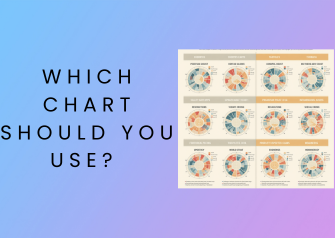
Quick Chart Selection Cheat Sheet
If you’re short on time, use this:
| Goal | Best Chart |
|---|---|
| Compare values | Bar chart |
| Show trends over time | Line chart |
| Show proportions | Pie chart |
| Show distribution | Histogram |
| Show relationships | Scatter plot |
How to Choose the Right Chart (Step-by-Step)
1. Identify Your Goal
Start with one simple question: What do you want to show?
- Comparing values → Bar chart
- Showing trends → Line chart
- Showing parts of a whole → Pie chart
- Understanding spread → Histogram
- Finding relationships → Scatter plot
2. Understand Your Data
Your data type matters:
- Categorical data → Bar chart, pie chart
- Numerical data → Histogram, scatter plot
- Time-based data → Line chart
3. Count Your Variables
- One variable → Simple charts (bar, pie)
- Two variables → Scatter plot, grouped charts
- Multiple variables → Bubble chart, advanced visuals
4. Know Your Audience
- Non-technical audience → Simple charts (bar, pie)
- Technical audience → Advanced charts (box plot, scatter)
Best Charts for Comparison
Bar Chart
The bar chart is one of the most commonly used and easiest to understand charts.
Use it when:
- Comparing categories
- Showing differences clearly
Example:
Sales across different products.
Column Chart
Similar to bar charts but vertical.
Use it when:
- Time-based comparisons
- Limited categories
Grouped Bar Chart
Use it when:
- Comparing multiple groups within categories
Example:
Sales by product across different regions.
Best Charts for Trends Over Time
Line Chart
The best answer to which chart should you use for trends.
Use it when:
- Showing data over time
- Tracking growth or decline
Example:
Website traffic over months.
Area Chart
A variation of line charts.
Use it when:
- Showing volume along with trends
Best Charts for Proportions
Pie Chart
Use it when:
- Showing parts of a whole
- Few categories (ideally less than 5)
Donut Chart
A modern version of pie charts.
Use it when:
- You want a cleaner, more visual presentation
Best Charts for Distribution
Histogram
Use it when:
- Showing frequency distribution
Example:
Age distribution of users.
Box Plot
Use it when:
- Showing median, quartiles, and outliers
Best for advanced analysis.
Best Charts for Relationships
Scatter Plot
Use it when:
- Showing correlation between two variables
Example:
Ad spend vs revenue.
Bubble Chart
Use it when:
- Adding a third variable (size of bubble)
Common Chart Mistakes to Avoid
Even if you know which chart should you use, mistakes can ruin your visualization.
Avoid these:
- Too many colors
- Overcrowded charts
- Misleading axis scales
- Using the wrong chart type
- Ignoring labels and context
Real-World Examples


Let’s make this practical:
- Sales comparison → Bar chart
- Website traffic → Line chart
- Market share → Pie chart
- Customer age → Histogram
- Marketing ROI → Scatter plot
These examples remove confusion instantly.
Tools to Create Charts Easily
You don’t need advanced skills to create great charts.
Popular tools include:
- Microsoft Excel
- Google Sheets
- Tableau
- Power BI
- Canva
These tools make it easy to apply this chart selection guide.
Pro Tips for Better Data Visualization
Want your charts to stand out?
- Keep it simple
- Highlight key insights
- Use consistent colors
- Add labels and titles
- Focus on clarity, not decoration
FAQs
Which chart should you use for comparison?
A bar chart is the best option for comparing different categories clearly.
Which chart is best for trends over time?
A line chart is ideal for showing trends and changes over time.
When should you avoid pie charts?
Avoid pie charts when you have too many categories or small differences.
What is the best chart for distribution?
A histogram is best for understanding data distribution.
How do I choose the right chart quickly?
Use a simple rule:
- Comparison → Bar
- Trend → Line
- Proportion → Pie
- Distribution → Histogram
- Relationship → Scatter
Conclusion
So, which chart should you use?
The answer depends on your goal:
- Compare → Bar chart
- Trend → Line chart
- Proportion → Pie chart
- Distribution → Histogram
- Relationship → Scatter plot
This complete chart selection guide gives you a simple framework to choose the right chart every time.
When in doubt, keep it simple, focus on clarity, and let your data tell the story.